
Run your own autonomous research lab.
Start where your question starts.
Get moving quickly if you are new, or jump straight to the product surface you need if you already know how you want to operate Maabarium.
Install the current build
Use the hosted install script or jump to the latest signed Apple Silicon release for macOS 11+.
Run a workflow end to end
Validate setup, workspace readiness, and the keep-winner loop.
Understand the desktop console
Read the UI the way the product intends: overview, console, blueprints, maintenance.
Fix the common failures fast
Go directly to environment, provider, workspace, and updater diagnostics.
Keep the most useful commands visible.
This is the fast path for readers who already know what they are doing and just need the right command in front of them.
Use the hosted installer for the latest public Apple Silicon desktop build on macOS 11+.
curl -fsSL https://downloads.maabarium.com/install.sh | shInspect the installed CLI entrypoint before running workflows from a terminal.
maabarium --helpRebuild from source after pulling the latest workspace changes.
git pull && cargo build --workspace --lockedRead this site in layers
Section titled “Read this site in layers”This documentation is designed for two kinds of readers at the same time:
- If you are getting started, follow the Start Here section in order.
- If you are already comfortable with local AI tools, jump into the Guides and Reference sections.
- If you are contributing content, head to Community.
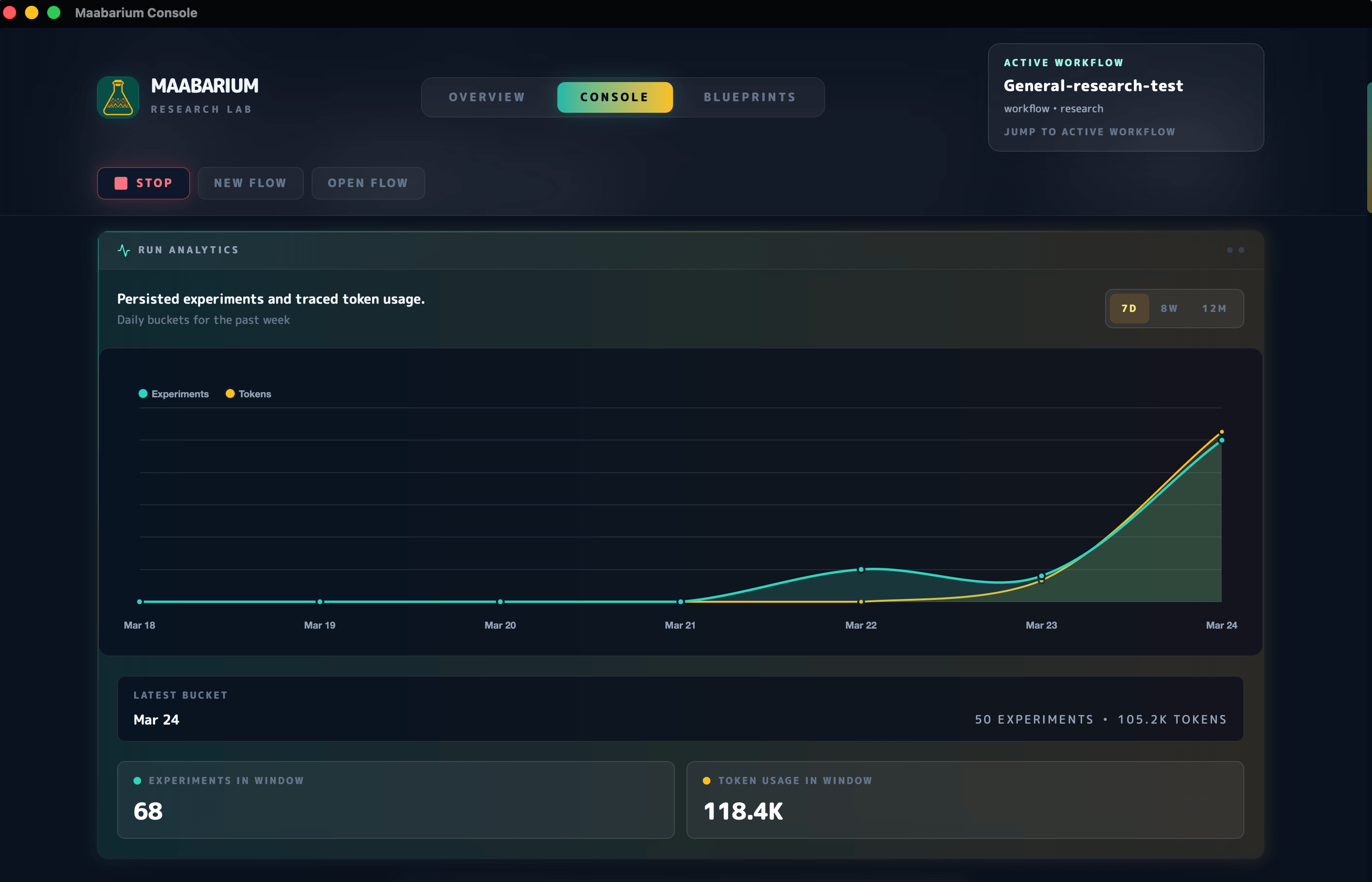
See the main operating surfaces before you drill into the docs.
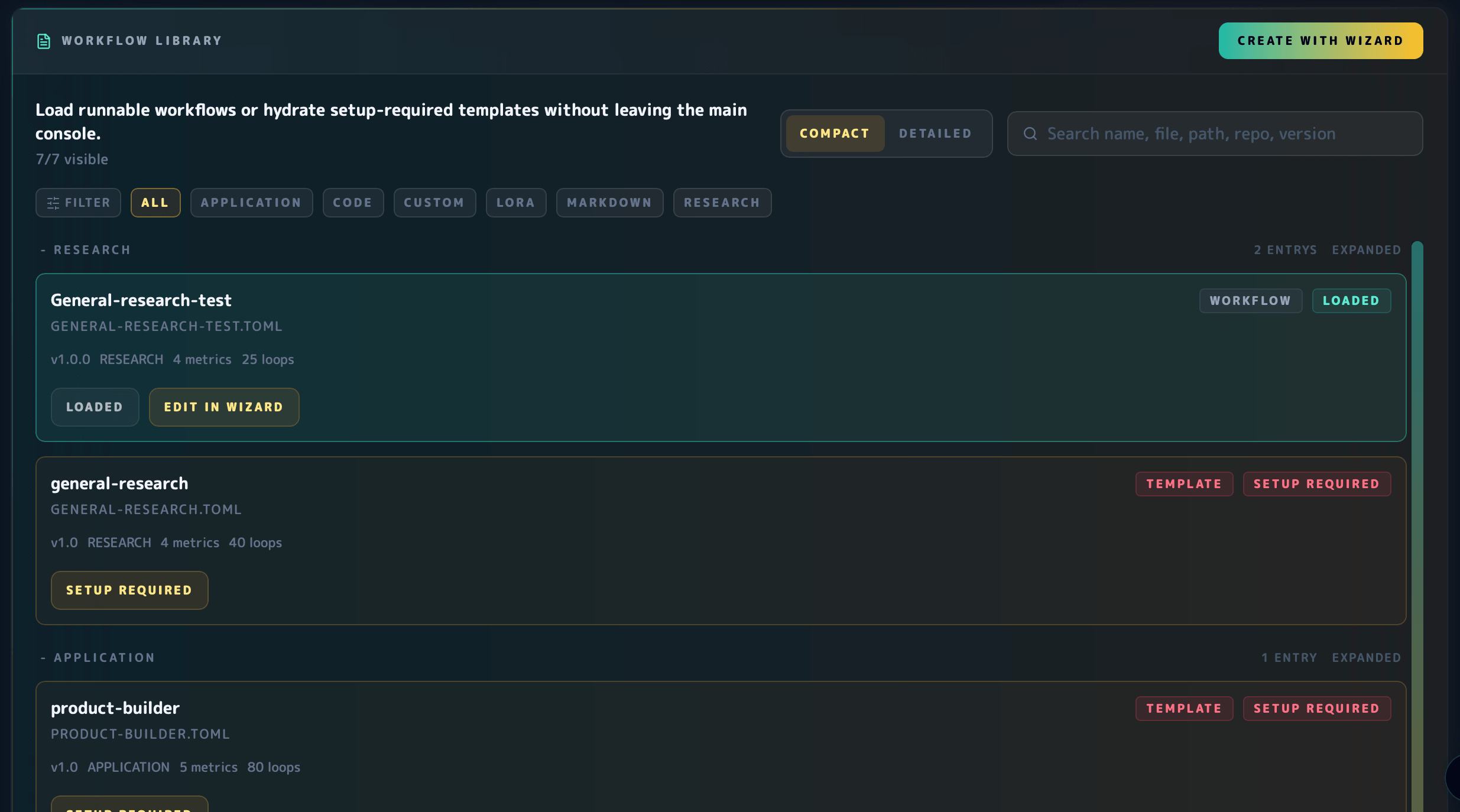
These panels link the homepage directly to the parts of Maabarium that most users need to orient around: analytics, workflow configuration, and the persisted decision trail.

What you can do with Maabarium
Section titled “What you can do with Maabarium”- Run proposal, evaluation, and keep-or-reject loops in isolated Git-backed workspaces.
- Keep decision trails visible through the desktop console, logs, persisted history, and runtime artefacts.
- Work with blueprint-driven workflows instead of hand-wiring every experiment.
- Stay local-first while still supporting multiple model and provider configurations.
Start from bundled workflow templates instead of a blank page.
These summaries are pulled from the bundled blueprint templates, then paired with direct links to the source files so readers can move from explanation to exact configuration.
code-quality
Improve correctness, readability, and maintainability across production codebases.
general-research
Research any topic with grounded synthesis, source tracking, and explicit citations for major claims.
product-builder
Build and evolve an entire software application with product strategy, implementation, and verification working as one loop.
prompt-improvement
Improve prompt clarity, specificity, and usability across reusable prompt assets.
Use the docs site as the hub, then jump into the repo when you need source-level detail.
Latest desktop release
Open the current signed release page and compare it with the install path documented here.
Browse bundled blueprint files
Read the exact workflow templates that ship with the project.
Open a minimal blueprint example
Use a simple blueprint as the fastest bridge between the user docs and the raw config shape.
Inspect a real research workflow
Compare the user-facing workflow guidance with a concrete bundled research blueprint.
Suggested reading paths
Section titled “Suggested reading paths”I want to get productive quickly
Section titled “I want to get productive quickly”I want to operate it seriously
Section titled “I want to operate it seriously”I want to help maintain the docs
Section titled “I want to help maintain the docs”- Contributing to docs
- Open the repository linked in the header.
- Use the pull request template and the preview build to validate changes.